Networking you must design
Public addresses, bridges, firewalls and routing for virtual machines are your decisions, and mistakes can lock you out.
Svavyom is a free, open control plane for KVM/libvirt on dedicated Linux servers. Create VMs, open consoles, take snapshots and backups, and manage networks from your browser.
Free and open source. Tested on Ubuntu 24.04 LTS, one host per installation. For evaluation and non-critical use.
Built on foundations you can inspect
Svavyom is aimed at the step in between: owning the infrastructure without starting from a blank terminal.
Public addresses, bridges, firewalls and routing for virtual machines are your decisions, and mistakes can lock you out.
Rescue consoles, reinstall paths and off-server backups matter long before something breaks.
Virtualization works, but stitching together a safe, understandable workflow is the hard part.
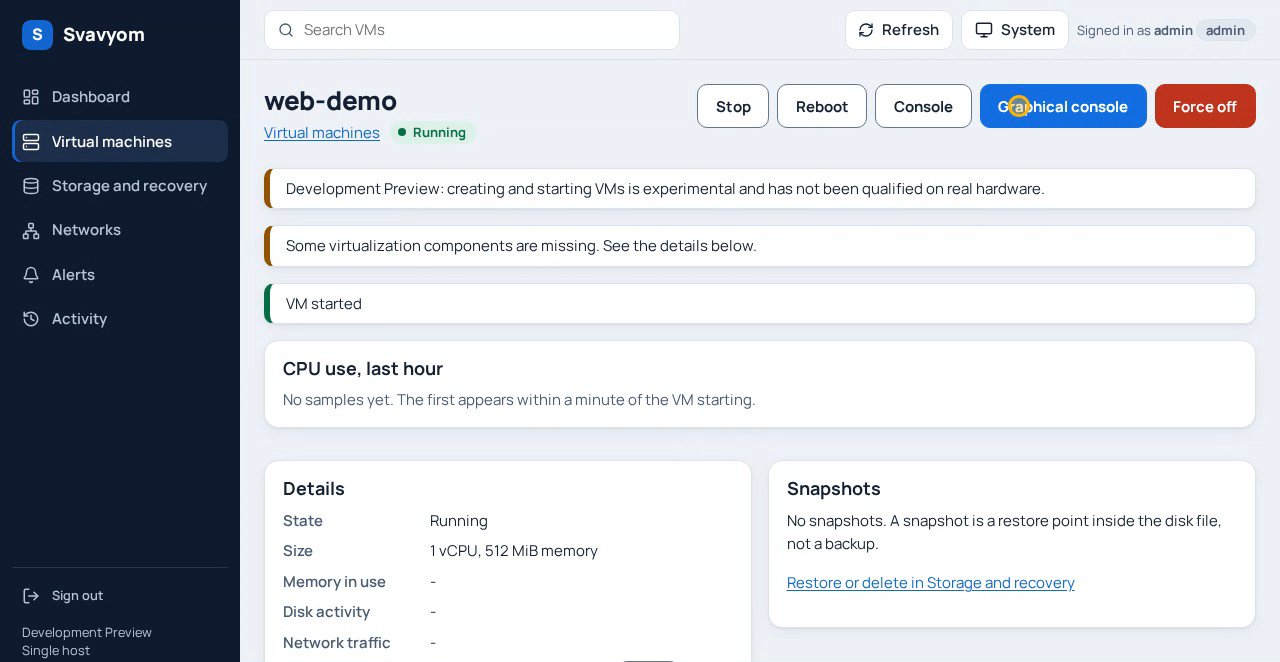
Screenshots of the real web console, recorded against a simulated demo host. It is a Development Preview: expect rough edges.
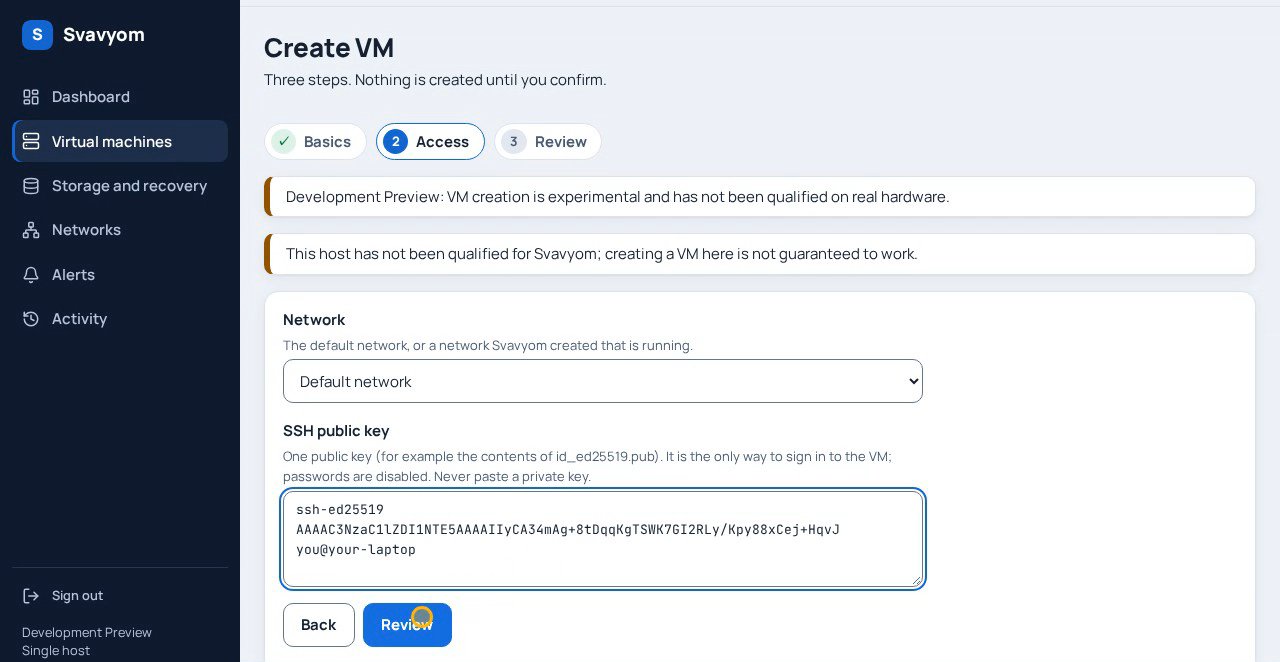
Pick an image, paste your SSH public key, review, confirm. Nothing is created until you confirm, and password login is off.
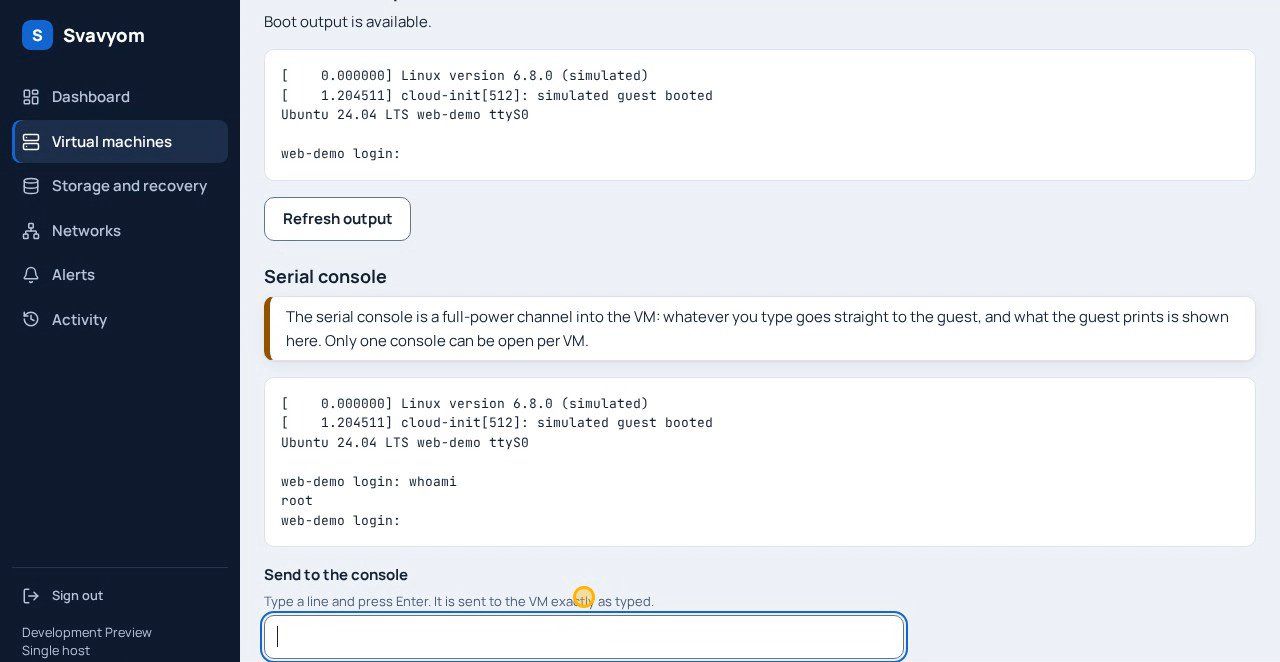
A serial console for text and a graphical (VNC) console for installers and guests with a display. One viewer at a time.
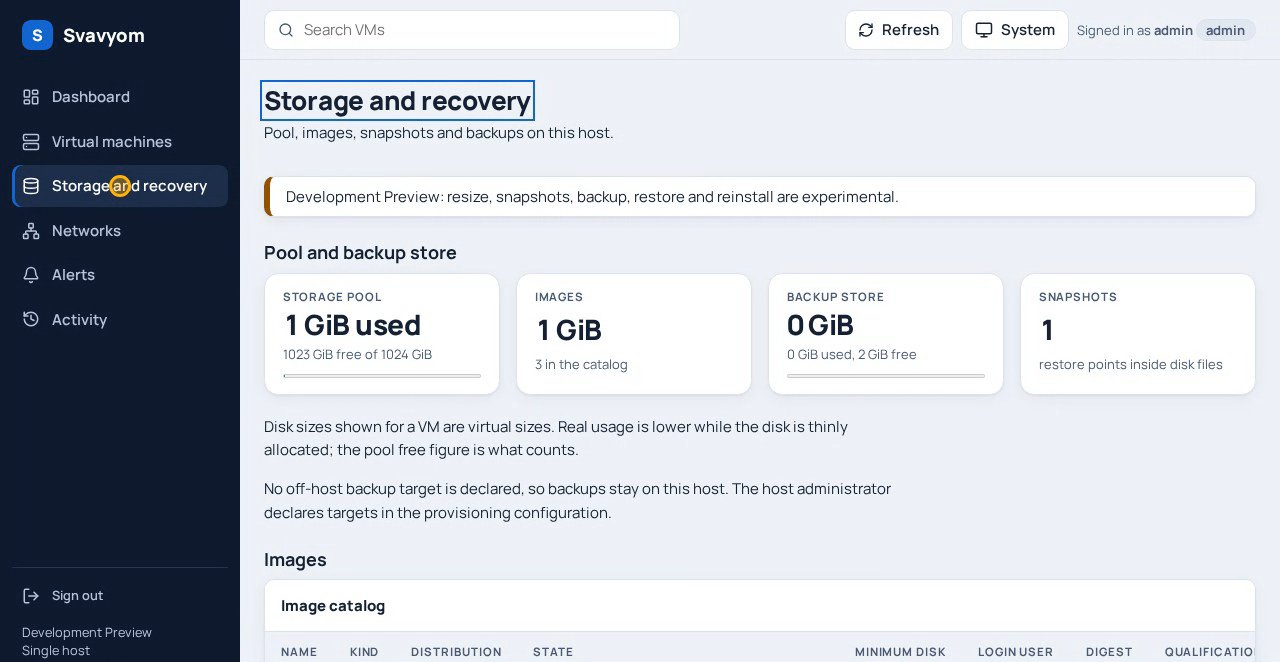
Images, volumes, snapshots and backups, restorable as a new VM. Scheduled backups, and copies to a directory or an SSH target.
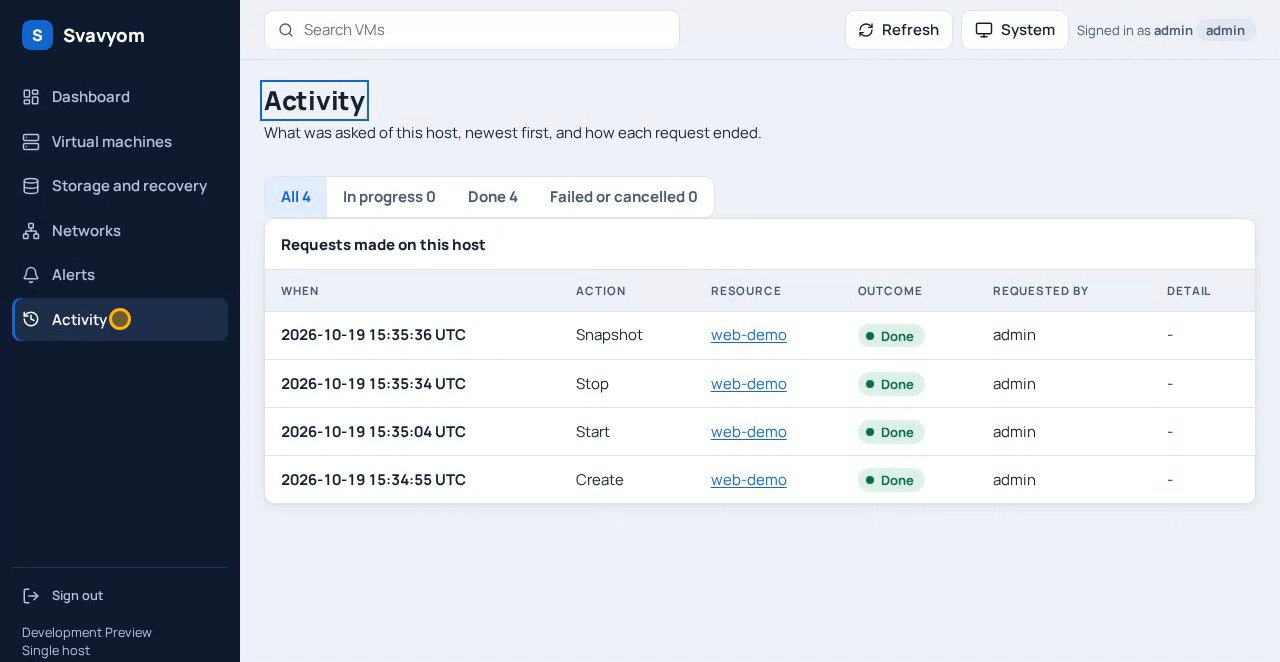
Who did what, when and how it ended, with three roles (admin, operator, viewer) deciding who can do it.
Each tile says where it stands today.
Manage virtual machines, consoles, storage, networks and alerts from a single web console instead of juggling command-line tools.
Your host choice should not be dictated by a proprietary hosting integration.
KVM, QEMU and libvirt keep every layer familiar and inspectable.
A read-only agent, a mutation supervisor and a console broker run as separate processes. A closed protocol carries names, never paths or XML, and no arbitrary shell or libvirt call is reachable from the browser.
Format, vet, static analysis, race tests, vulnerability scans and accessibility gates run in a pinned Docker toolchain.
AGPL-3.0-or-later for the server, Apache-2.0 for contracts, tools and docs. No limit, licence key, trial or call home. Run it on as many servers as you like.
A generalised comparison of approaches. Svavyom is a Development Preview, so the last row matters.
| Capability | Managed cloud | Bare dedicated server | Svavyom preview |
|---|---|---|---|
| You choose the hardware | Provider decides | Yes | Yes, your dedicated server |
| A management interface | Provider console | None included | Web console (Preview) |
| Provider lock-in | Typically high | Low | Low by design |
| Virtualization stack | Provider-specific | You assemble it | KVM, QEMU, libvirt |
| Cost of the software | Pay per use | Hardware only | Free, AGPL-3.0-or-later |
| Ready for production | Yes | If you build it | No. Development Preview |
The current Development Preview path: one host, Ubuntu 24.04 LTS.
Ubuntu 24.04 LTS on x86_64 with hardware virtualization, AppArmor and 30 GiB free under /var/lib.
The installer prints its plan and changes nothing until you add --apply.
Create the administrator, import an image and create your first VM.
sudo bin/svavyom-ctl install --artifact . --create-pool --tls-self-signed HOST \
     --enable-mutation --enable-console --backup-dir /var/lib/svavyom/backups
# read the plan, then repeat with --applyHow the services fit together and what each one is allowed to do.
Separate processes with separate privileges. No arbitrary shell or libvirt call is reachable from the browser.
Direction, not a schedule. No delivery dates are announced.
Typed API contracts, a simulated libvirt test driver and a capability checker.
VM lifecycle, consoles, snapshots, backups, networks and an installer on one Ubuntu 24.04 host.
Signed release artifacts and broader testing on real hardware. Not available yet.
Multi-host management and high availability. Not supported in the current release.
A Development Preview for evaluation and non-critical use. Tested on Ubuntu 24.04 LTS, one host per installation.
Svavyom is a self-hosted cloud and virtualization management platform in development for dedicated Linux servers. Here, personal cloud means infrastructure for virtual machines, rather than a file-sync service.
Yes, as a Development Preview. Install it on one Ubuntu 24.04 LTS (x86_64) host with KVM and libvirt, then create and manage VMs from the web console. It is for evaluation and non-critical use, not production workloads.
You never need an email to read, download or share the source. Adding it tells us who is interested, lets us send you the repository link and next steps, and means you hear about updates without watching the repository.
First, one message with the repository link and suggested next steps. After that, occasional project updates. For now the maintainers send these by hand, and every message includes a way to ask for removal.
First-time dedicated-server self-hosters are the primary audience, followed by developers and startups. Enterprise production requirements remain future work.
To run it, yes: a dedicated Linux server or other machine with hardware virtualization. Use a disposable or non-critical host while Svavyom is a Development Preview. You can read the source and docs without one.
No. Svavyom is intended as software for infrastructure you choose. It is not a server hosting service, and administration, recovery and backups remain responsibilities to plan for.
Svavyom is free. The server product is AGPL-3.0-or-later and the contracts, tools and documentation are Apache-2.0. There is no limit, licence key, trial or call home.
Download and share the source any time. Add your email and we will send the repository link and next steps, then occasional updates as the project moves.
Prefer to look first? Open the repository